1Today
Decide the approach in ChatGPT
Let's use this approach. Save it in AccountHub.

 ChatGPT
Saved approach
Start with the benefits and how to get started.
ACCOUNTHUB
Use an approach saved in ChatGPT when you continue in Claude. Bring email and calendars together through your usual AI.
New here?
Get started freeHave an account?
Log inFree · Sign in with Google · Using it from ChatGPT needs a Plus plan or higher (details)
1Today
Let's use this approach. Save it in AccountHub.
ChatGPTStart with the benefits and how to get started.
2Tomorrow · same person
Use yesterday's approach to draft the proposal.
Benefits → Getting started → Next steps
Meeting preparation
What should I check before tomorrow's customer meeting?
EmailThe customer wants to start next month.
SlackThe team confirmed capacity. Integration details still need checking.
Scheduling
Find an hour on Tuesday that works across all my calendars.
Tuesday 14:00–15:00
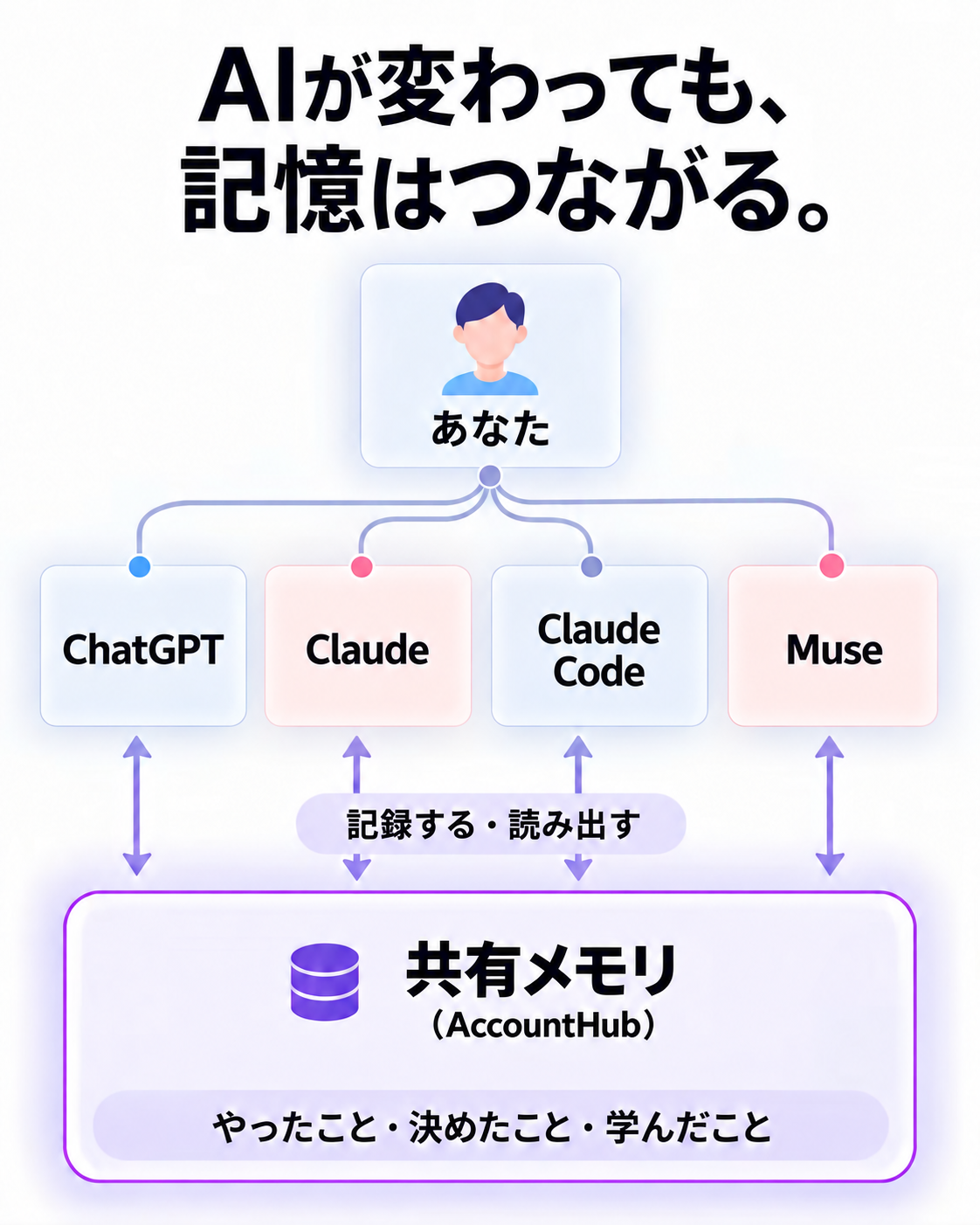
Save a decision in AccountHub. Another assistant can use the same record.
What you did, decided and learned
Search work and personal email together, or find free time across connected calendars—all from the AI you use.
Explore email & calendars →Keep decisions and personal preferences. Retrieve the records you need in a new conversation and continue from there.
Explore shared AI memory →Find messages in connected Slack workspaces and read Notion pages with your AI, so you can use that information in your conversations.
Explore connected services →Ask your usual AI to read the group conversation and help shape a proposal. Review it, then share it back with your team.
Explore collaboration →Features and requirements vary by AI. Shared AI memory setup guides cover ChatGPT, Claude, Claude Code, and Muse.
See AI connection guides →Connect multiple Google accounts and Slack workspaces. Start with the services you need.
See service connection guides →To work with email or calendars, choose the accounts you want to use, such as Google or Slack.
Connect AccountHub to ChatGPT, Claude, or another supported AI.
Follow each AI’s guide to set up memory instructions once and test saving and retrieving a record. Then use it in your everyday conversations.