Create a shared project, invite members, and start talking in that project’s chat.
Before you start
Sign in with an AccountHub account that has access to shared projects. If the entry is missing, ask about access from Settings. Start new shared work from Shared projects. If you already belong to the intended project, open it.
Confirm the email address each invitee uses to sign in, and what you want to share.
Steps
1. Create or open a shared project
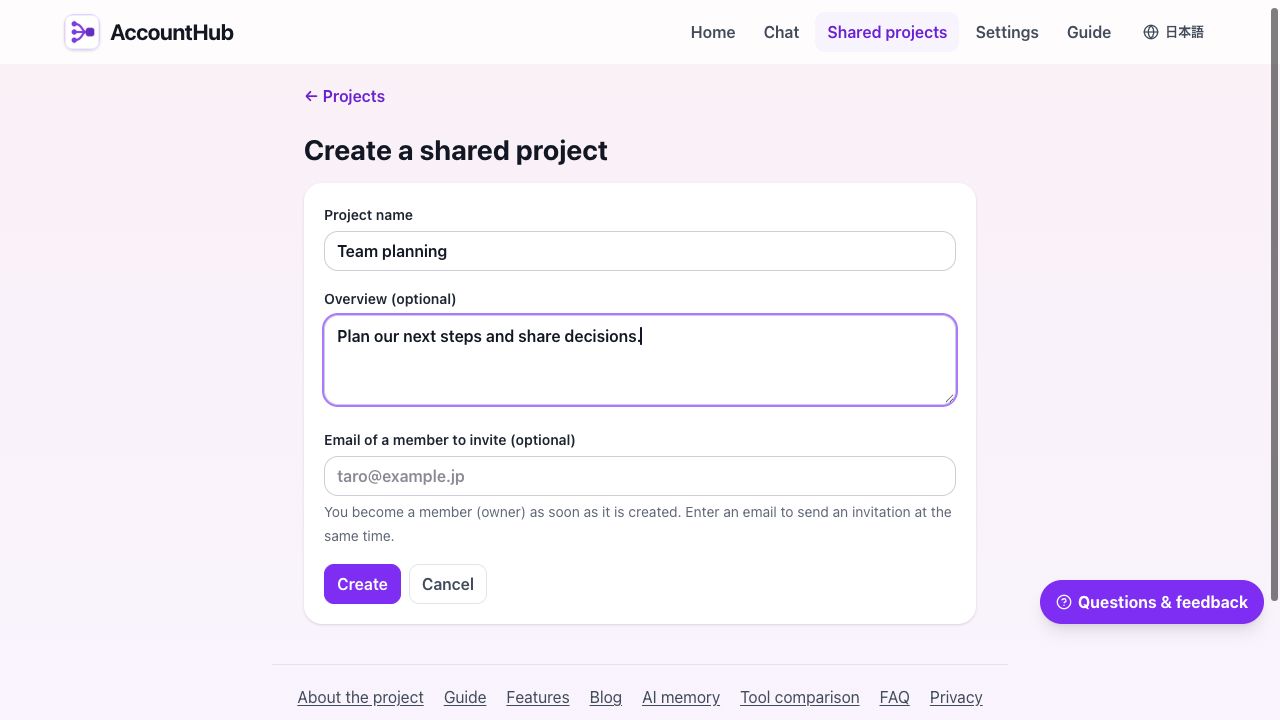
Create a project from the shared-project list and enter its name and purpose. Open the existing project when continuing work there.
Enter a name and purpose first. You can invite members after creation. This screen uses sample data.Open shared projects →
2. Invite members to the same project
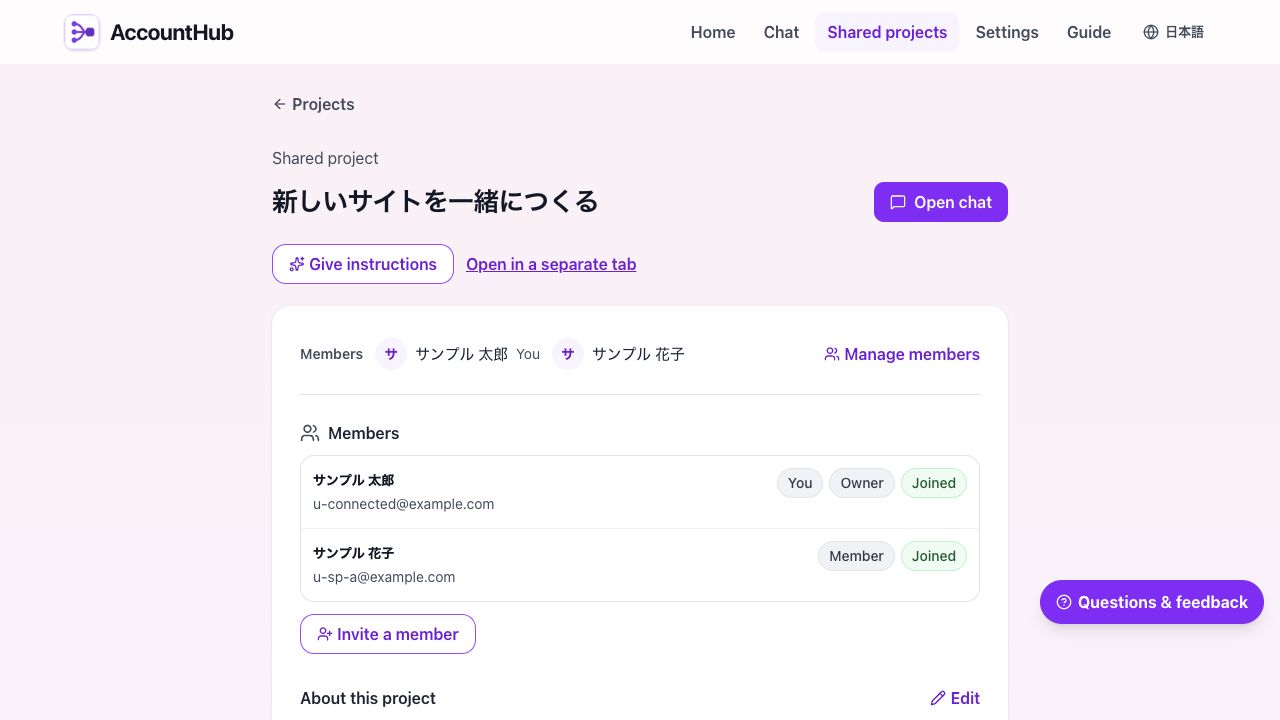
Use the project’s member management to invite someone by email. Creating an invitation and sending its email are separate outcomes; check the displayed delivery result and invitation state. If the email does not arrive, copy the invitation link shown and share it with the recipient.
The recipient signs in with the invited email address and accepts. Check membership in the project before treating the recipient as a participant.
Open member management to check participation. This example shows two members who have joined.
3. Open that project’s chat
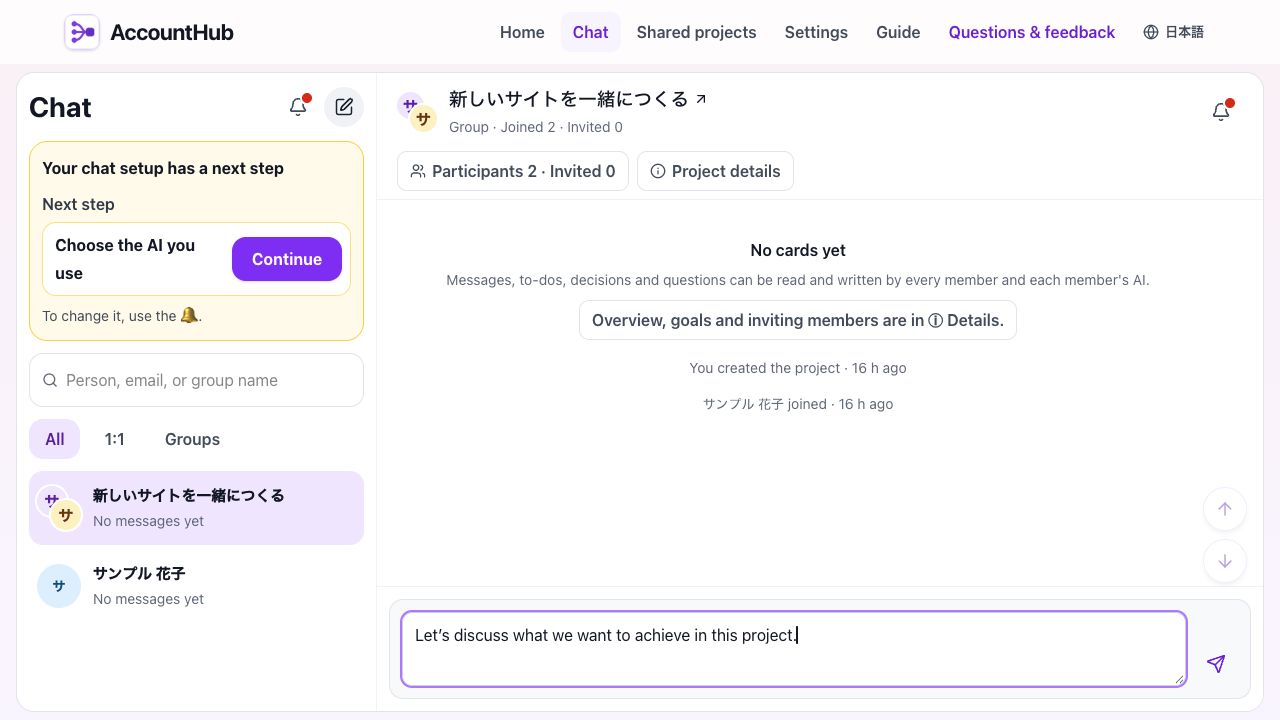
Choose Open chat from the project. This chat uses the same project membership; you do not need to create another group. Check the project name and participants before sending.
Open the same project’s conversation and check its name and participants before entering a message. The message shown is an unsent example.
Check the result
Confirm that the recipient can open the same project. Check that messages appear in that project’s chat and that the recipient can access the conversation.
Creating an invitation link or having an email accepted for delivery does not confirm acceptance, participation, or reading.
If something goes wrong
If acceptance fails, check that the recipient signed in with the invited email address.
If chat cannot be opened, check membership in the intended project. Review its invitations and members before creating a separate group.