
ACCOUNT HUB BLOG
Published:
Getting started · Multiple accounts · MCP · Troubleshooting
A checklist for testing AI with multiple accounts
Written by the AccountHub team.

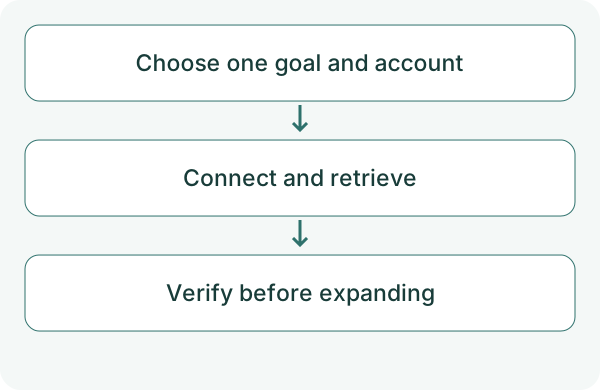
You do not need to connect every account to test AI integrations. Start with one goal, one account and one read-only task.
With AccountHub, signing in, connecting an external service and connecting your AI are separate stages. A successful login does not establish access to email or events. Check the actual result.
First compare the alternatives
Choose the needed action first. Native search or your AI's official integration may suffice. Consider AccountHub when you want several services or accounts in the same AI.
Check the goal, permitted service, target account, AI connection requirements, original-source verification and disconnection. Separate a free connector from AI subscriptions and usage limits.
At the check date, AccountHub advertises free use with a daily limit for its in-app AI. External AI plans and administrative conditions are separate.
Try a small check
Follow the guide to sign in and connect one service. Review the account and permission before connecting your usual AI. Ask for an account list, then use a test message you recognize.
Use AccountHub to check connected accounts and searchable services. Then search only the Gmail account I specify for 'connection test' emails from the past seven days. Show source, subject, date and original link. Explain a failed search. Do not send, change or delete anything.
Check the result
Record each verified stage separately: sign-in, service connection, AI connection, successful search and agreement with the original. That also helps isolate a failure.
If the first check matches, add another account and repeat. Check source clarity as the account count grows. Reads, writes, scheduled execution and sharing with another person are separate tests. One successful read does not establish all of them.
What to try next
Verify that you can return to one original first. Then add only the connections you need, keeping track of what actually works.
Try one task with the connection guide
Sources
---
Draft from the AccountHub team. Not written or approved by Uchiyama. Sample prompts are not results from a personal-account test performed for this article. Features and sources checked on October 13, 2026.
Read the setup guide
The guide has the connection steps and example requests for your AI.
Read the setup guide →