
ACCOUNT HUB BLOG
Published:
Email · Gmail · Multiple accounts · MCP · Troubleshooting
How to check the sender account before AI sends email
Written by the AccountHub team.

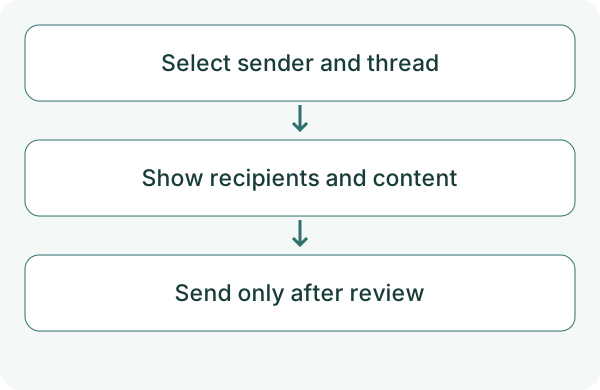
When work and personal Gmail accounts are connected, you need to choose the sender each time. Before AI sends email, show the sender, recipients and content together.
AccountHub requires selecting the sending account when using several Gmail accounts. Replies use the account that received the thread. Start by reviewing a draft in the conversation without sending anything.
First compare the alternatives
Sending in Gmail lets you check the compose screen yourself. You can also ask AI only for wording and paste it manually.
To send through AccountHub, verify send capability, recipients, subject, body and reply target. Successful search is not successful sending. AI confirmation screens may differ, so explicitly request a pre-send review.
Try a small check
Check the account list and prepare the intended content. For the first test, display the sender and draft in the chat without external delivery. The following is an example request.
Check AccountHub accounts and send capability. Then display a proposed review email in this conversation as if it would be sent from the work Gmail account I specify. Show sender, To, Cc, subject and body. Ask about unknown recipients. Do not send email or create or change a Gmail draft until I have reviewed the content.
Check the result
Verify the actual account, not just its label. For replies, check the received thread. AccountHub treats replies as reply-all by default, so review To/Cc and the target thread. Do not assume a reply can switch to another sending account.
If you later request actual delivery, specify sender, recipients and content again. Check Gmail's Sent view as well as the AI's response. Do not repeat a send when delivery is uncertain. Reply-all includes the original sender and To/Cc recipients; another connected account you own may remain a recipient. Explicitly identify the sending account when multiple Gmail accounts are connected.
What to try next
First check the sender in a displayed draft. If wording help alone is enough, keep that workflow. Actual sending is a separate action after review.
Try one task with the connection guide
Sources
---
Draft from the AccountHub team. Not written or approved by Uchiyama. Sample prompts are not results from a personal-account test performed for this article. Features and sources checked on October 13, 2026.
Read the setup guide
The guide has the connection steps and example requests for your AI.
Read the setup guide →