
ACCOUNT HUB BLOG
Published:
Calendar · Google Calendar · ChatGPT · MCP · Comparison
How to connect Google Calendar to ChatGPT
Written by the AccountHub team.
To use Google Calendar in ChatGPT, first check the official app available in your environment. If it covers the events you need, you can start there.
AccountHub is a separate connection for using connected Google calendars through ChatGPT. It does not necessarily bypass a restriction on official apps. Check external-connection requirements and organizational permission first.
First compare the alternatives
For simply viewing events, open Google Calendar directly. ChatGPT app availability and actions can depend on plan, region and workspace settings. Check the actual settings and official documentation.
If you need connected accounts and other services in the same conversation, compare those needs with AccountHub's public features. Connecting Google and connecting ChatGPT to AccountHub are separate steps. Choose the scope you need.
Try a small check
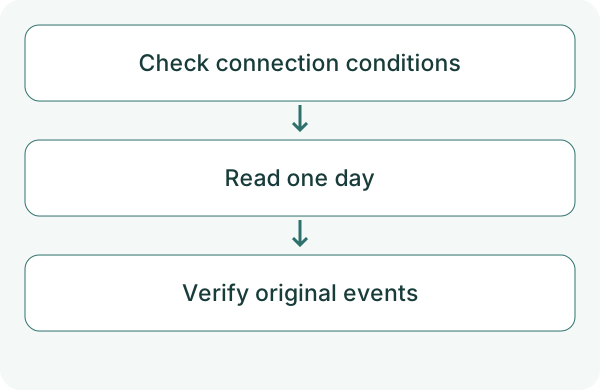
Follow the guide, check Calendar permission and connect AccountHub to ChatGPT. Start with one account for one day. Use a familiar event so you can recognize whether the result is correct. Google Calendar permission and the AI connection are separate. Match the account and check availability in your current interface, plan and administrator settings.
Check AccountHub's connected accounts and calendars. Read the calendar I specify for October 19, 2026, from 09:00 to 18:00 in Asia/Tokyo. Show start, end, account and original links where available. Distinguish an unreadable calendar from no events. Do not create, change or delete events.
Check the result
Compare times and the target with Google Calendar. Specify secondary calendars if their events are needed.
If retrieval fails, check ChatGPT's connection, AccountHub's Google connection and Calendar permission separately. One successful read does not verify all events or write actions.
What to try next
Try checking one day's events from ChatGPT when you need them. If they match, decide whether to include another calendar.
Try one task with the connection guide
Sources
---
Draft from the AccountHub team. Not written or approved by Uchiyama. Sample prompts are not results from a personal-account test performed for this article. Features and sources checked on October 13, 2026.
Read the setup guide
The guide has the connection steps and example requests for your AI.
Read the setup guide →