
ACCOUNT HUB BLOG
Published:
Conversations · Slack · MCP · Troubleshooting
Before summarizing unread Slack messages with AI
Written by the AccountHub team.

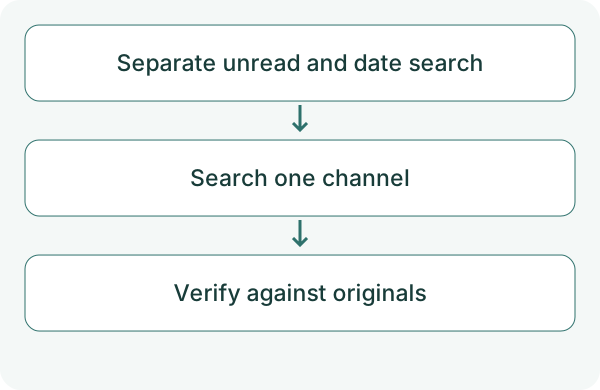
When Slack unread messages pile up, a short summary sounds useful. But recently searched messages and messages you have not read are not the same set.
This article does not claim that AccountHub retrieves your exact personal unread state. Instead, try organizing a specified channel and period. Use Slack's interface when you need the actual unread list.
First compare the alternatives
Start with Slack's unread view or native search. If your AI or Slack provides summarization, check what that feature covers.
AccountHub may fit when you want your usual AI to check connected Slack messages for a period. Do not present that search as unread-state retrieval.
Try a small check
Connect a workspace with search permission and choose one channel you can read. Start with a period containing familiar messages. Replace the sample date and channel. AccountHub Slack search requires the connected user’s search:read permission. That does not establish access to the user’s unread list.
Use AccountHub to search the channel I specify in the selected Slack workspace for October 12, 2026. Briefly group decisions, questions and requests, with time, source and original links where available. Call this a time-range search, not a verified list of my unread messages. Explain inaccessible scope. Do not post or change read status.
Check the result
Check each summary item against the original and look for missing important messages. Keep inferred requests as suggestions for your review.
An older connection missing search permission may require reconnection. An inaccessible channel is not a channel with no messages. When widening the dates, check coverage and omissions again.
What to try next
Try one day first. It does not prove the unread queue was cleared, but a summary with original references may help you catch up again tomorrow.
Try one task with the connection guide
Sources
---
Draft from the AccountHub team. Not written or approved by Uchiyama. Sample prompts are not results from a personal-account test performed for this article. Features and sources checked on October 13, 2026.
Read the setup guide
The guide has the connection steps and example requests for your AI.
Read the setup guide →