
ACCOUNT HUB BLOG
Published:
Memory & context · ChatGPT · Claude · MCP · Comparison
How to carry a writing preference to another AI
Written by the AccountHub team.
Save a small writing-preference note
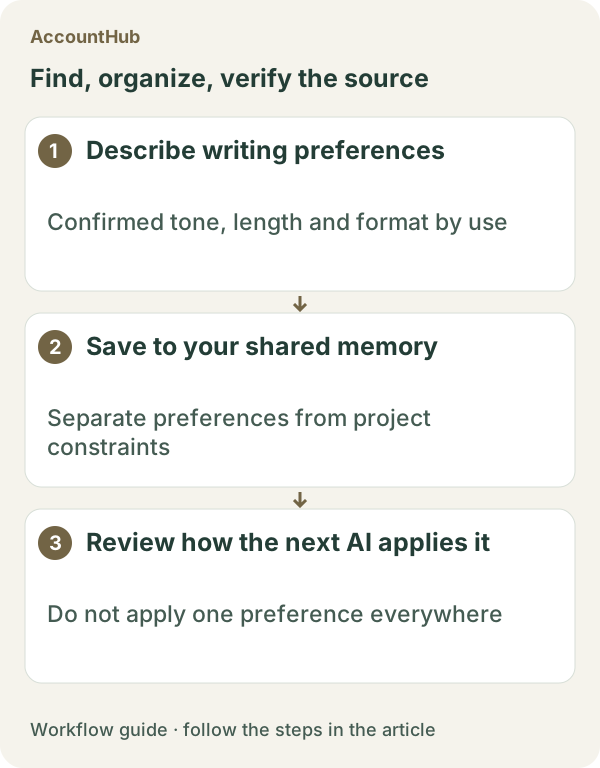
With AccountHub, you can save confirmed preferences about length, headings, wording, and phrases to avoid, then let another AI used by the same person read the note. This can replace repeating “keep it short” or “use fewer headings” when moving a task from ChatGPT to Claude.
Manual text may be enough once
For one article, paste a short preference list into the request. If you use an AI service’s custom instructions or built-in memory, check that service’s scope. A saved preference does not make every generated answer comply automatically, so keep a human review step.
Store the preference in AccountHub
For repeated work across AI tools, connect the services you use to AccountHub and save a concise preference record. Shared memory is a record between AIs used by the same person, not an automatically public team group. After saving, ask the next AI to list what it read before writing.
Replace the brackets with real preferences and scope:
Record my confirmed writing preferences for [real use] in AccountHub shared memory. Length: [guideline]. Headings: [preference]. Voice: [preference]. Avoid: [phrase or pattern]. Scope: [article, email, internal memo, or other]. Save only preferences I supplied; do not infer new ones. Show the saved fields and record ID.
Then ask the next AI:
Read the writing preferences for [real use] from AccountHub shared memory. List the scope and each field first, and do not infer missing preferences. Before writing, state which fields you will apply. After writing, list any field you could not follow for my review.
What the result can show
A fictional example might preserve “use descriptive headings,” “keep paragraphs short,” and “avoid exaggerated outcomes,” then let Claude show which items it will apply. The AI is not guaranteed to follow every record. Review facts, length, and wording yourself, and add a correction when your preference changes.
Try two or three preferences
Choose two or three preferences from a real use case. AccountHub is free to use, but the in-app AI trial has a daily limit. ChatGPT and Claude plans and instruction settings are separate. Keep personal data out of the style note and save only what the writing task needs.
This article is an operator explanation based on AccountHub’s official pricing page and guide. Check AccountHub pricing and the AccountHub guide for current terms.
Start with AccountHub for free. Use the setup guide to choose your AI connection, then test saving and reading one short record of your own.
Read the setup guide
The guide has the connection steps and example requests for your AI.
Read the setup guide →