
ACCOUNT HUB BLOG
Published:
Permissions · Gmail · OAuth · MCP · Troubleshooting
What to check before granting AI access to Gmail
Written by the AccountHub team.

What can the AI read after you connect Gmail? Can it send email too? Check those separately before connecting.
Even if your AccountHub test only reads messages, the permission granted during connection may be broader. Review the consent screen and your policies. Asking the AI not to send is different from limiting the credential's permissions.
First compare the alternatives
You can avoid a connection and manually provide a selected excerpt. Native AI integrations also require checking the account and access scope.
Google's Gmail API distinguishes reading, sending and modifying scopes. Review the application, account, services and consent description. Work-account administrators may restrict connections. Do not use AccountHub to bypass an organizational restriction.
Try a small check
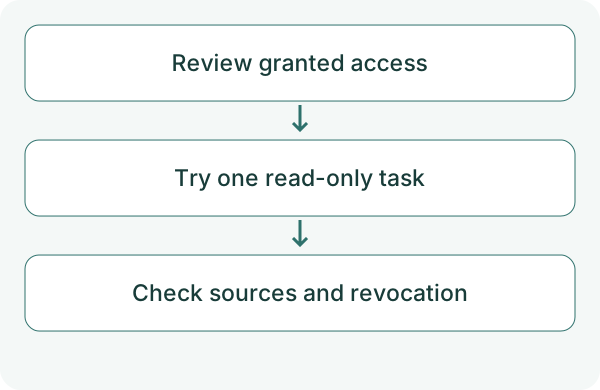
Read the guide and data-handling policy and identify how to revoke access. Begin with a non-sensitive test email in one account. You should not need to paste passwords or tokens into a chat.
Use AccountHub to identify connected Gmail accounts and their read and send capabilities. Search the account I specify for 'permission test' in the subject from the past seven days, with source and original link. Do not send, change or delete anything in this test. Report missing permission as a failed search.
Check the result
Compare the result and source with the original email. Successful reading does not validate future senders or recipients.
Disconnecting does not necessarily erase content already saved in chats or other records. Check deletion separately for each storage location. If the granted access is too broad for you, choosing not to connect is also valid.
Read and send capabilities in the account list identify functionality. Check specific OAuth scopes in the consent screen too, and do not treat send capability as your approval to send.
What to try next
Once you understand access and revocation, try one message. Expand only after the original and result match.
Try one task with the connection guide
Sources
---
Draft from the AccountHub team. Not written or approved by Uchiyama. Sample prompts are not results from a personal-account test performed for this article. Features and sources checked on October 13, 2026.
Read the setup guide
The guide has the connection steps and example requests for your AI.
Read the setup guide →