
ACCOUNT HUB BLOG
Published:
Calendar · Google Calendar · MCP · OAuth
What to check before AI creates a calendar event
Written by the AccountHub team.

Before asking AI to schedule a meeting, decide which calendar, time and people it should use. Multiple accounts make target selection especially important.
AccountHub's event creation writes to Google Calendar. Keep it separate from a read-only test and review the content yourself first. Here, prepare the proposal before creation.
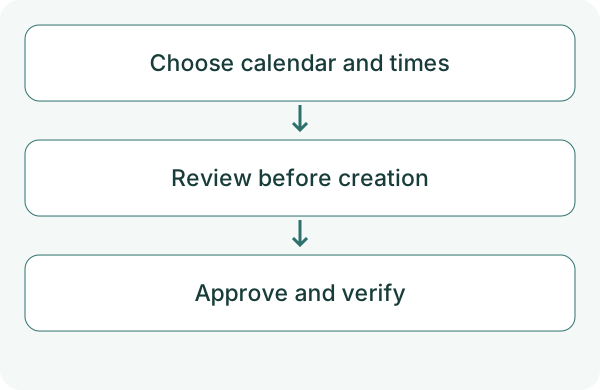
First compare the alternatives
You can enter the event directly in Google Calendar or ask AI only for a title and description.
For AccountHub creation, check account, the intended calendar, times, time zone and attendees. Read access does not establish write access. Check your access role on a shared calendar too.
Try a small check
First verify event reading on the selected calendar. Then choose a test without invitees, preferably in a test calendar you control.
Check AccountHub accounts and calendars. Display a proposal for 'event creation test' in the test calendar I specify on October 19, 2026, from 10:00 to 10:30 in Asia/Tokyo. Add no attendees. Show account, calendar, start, end, time zone and whether it is all-day. Do not create the event yet. Ask about anything unclear.
Check the result
Verify the intended time zone, 30-minute duration and calendar. Keep all-day and timed events distinct.
If you later approve creation, request it separately. Verify the original calendar and event ID afterward. Attendees and notifications have additional effects; check their content and conditions. If creation is uncertain, inspect existing events before retrying. Identify the account when multiple accounts are connected. An unspecified calendar defaults to the primary calendar. When adding attendees, specify the notification scope; choosing no notifications still creates the event.
What to try next
Display a proposal first. After the account and times are correct, approve one test creation and verify the original.
Try one task with the connection guide
Sources
- Google Calendar API authorization
- Google Calendar time zones
- AccountHub guide
- Google Calendar events.insert
---
Draft from the AccountHub team. Not written or approved by Uchiyama. Sample prompts are not results from a personal-account test performed for this article. Features and sources checked on October 13, 2026.
Read the setup guide
The guide has the connection steps and example requests for your AI.
Read the setup guide →