
ACCOUNT HUB BLOG
Published:
Files · Google Drive · Claude · MCP · Comparison
How to use Google Drive documents in Claude
Written by the AccountHub team.

To use Google Drive documents in Claude, first check its official Google Workspace connector. It is documented as a way to search and reference documents.
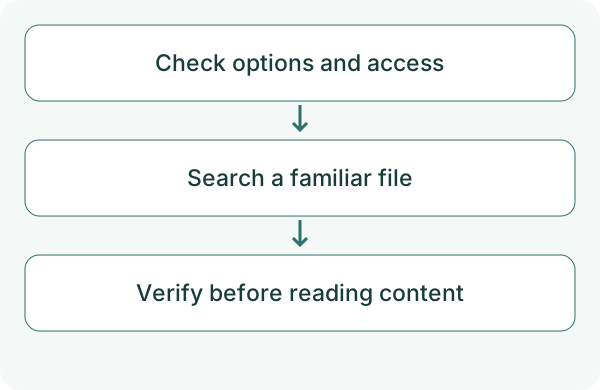
AccountHub is an additional option for searching connected Google accounts through the same AI. Start by finding one document and opening its original link. Search results and reading an entire document are separate checks.
First compare the alternatives
If you know the location, use Drive's native filename and type filters. Claude's official integration may already cover what you need.
Consider AccountHub if you want other connected accounts or several services in the same conversation. Check Claude's custom-connection conditions and Google's search and content-read permissions.
Try a small check
Follow the guide to connect Google and Claude, then check the account list. Choose a familiar, non-sensitive file. The filename below is an example. Test search before sharing contents.
From Claude, use AccountHub to search the Google Drive account I specify for up to five files whose names contain 'test document.' Search names only. Show account, type, modification time and original link. Do not read contents or edit files. Distinguish missing permission from zero matches.
Check the result
Open the original and check the file. If you need its contents in Claude, select one candidate first. AccountHub requires content-read permission, and readable coverage depends on format and size.
A binary file such as a PDF cannot necessarily be treated as plain text. If a read is truncated, mark the unread portion rather than calling the result a full-document summary. The public guide describes Drive access as read-only. AccountHub separates metadata-search permission from content-reading permission. Finding a filename does not prove that its contents are readable.
What to try next
Verify one file and its original first. Then read only the content you need for the next conversation with Claude.
Try one task with the connection guide
Sources
---
Draft from the AccountHub team. Not written or approved by Uchiyama. Sample prompts are not results from a personal-account test performed for this article. Features and sources checked on October 13, 2026.
Read the setup guide
The guide has the connection steps and example requests for your AI.
Read the setup guide →