
ACCOUNT HUB BLOG
Published:
Conversations · Multiple accounts · MCP · ChatGPT · Claude
Find which Google account has a business contact
Written by the AccountHub team.
With AccountHub, one request can search several Google Contacts accounts for business contact candidates and list their source accounts.
The problem
You need to contact a business partner, but you do not remember whether the contact is in your work Google account or your personal one. A name-only search can return a namesake or an old employer. First collect candidates, then check the company and address yourself.
Prepare the search
If one Google account is involved and the name is clear, native Google Contacts search may be enough. AccountHub is useful when the same read-only search must cover several connected Google accounts. It should not decide that two same-name contacts are the same person, and it should not merge or edit them.
A prompt to paste into your AI
Follow the guide and connect only accounts you can read. Start with one non-sensitive test contact.Example prompt; replace [name] and [company] with the real contact you need to check:
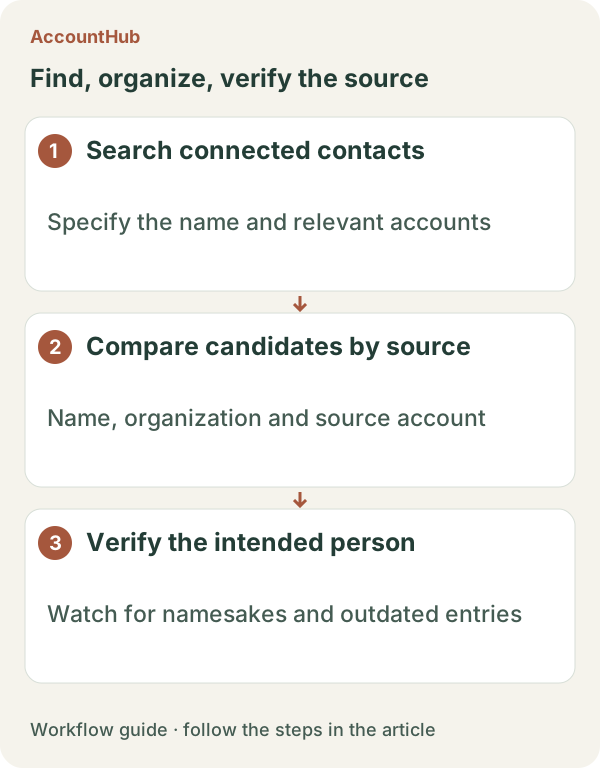
“Search my connected Google Contacts accounts separately for candidates matching [name] and [company], up to ten results. For each candidate, show source account, display name, organization, whether an email or phone is present, a modified date if available and an original contact link or source. Do not decide that same-name records are the same person. Do not merge, delete or edit contacts, and do not send a message. Distinguish an account that could not be searched from zero matches.”
Sample output and limits
A fictional result could contain “Work Google / Ken Sato / Hokkai Design / email present / original contact” and “Personal Google / Ken Sato / no organization / email present / original contact.” Verify identity against a confirmed business address or prior correspondence. A missing, old or different phone number remains possible.
When native tools are enough
Use native search when one account is enough. Try AccountHub for a small candidate list when account switching is the actual problem, then return to your own contact-management process. Sending and automatic merging are outside this task.
Pricing and trial conditions
The pricing page currently describes AccountHub as free with no paid plan sold. The in-app AI trial has a daily limit, and connected services and AI products have separate terms and limits.
Official references: AccountHub pricing https://accounthub.ai/pricing / AccountHub guide https://accounthub.ai/jp/guide / Google Contacts Help https://support.google.com/contacts/
This is an operator's explanation. Verify identity, purpose and edit permission against the original records.
Start with AccountHub for free. Connect the account you need and try one request through the in-app “Try the AI” entry. To use an external AI assistant, check its connection requirements in the setup guide.
Read the setup guide
The guide has the connection steps and example requests for your AI.
Read the setup guide →