
ACCOUNT HUB BLOG
Published:
Email · Gmail · Multiple accounts · OAuth · MCP
How to manage multiple client inboxes with AI
Written by the AccountHub team.

Using a separate email account for each client means more inboxes to check. Before asking AI to organize them, specify which account and date range it should read.
AccountHub can search multiple connected accounts. Start with one inbox and keep the account label on each result. Connecting several accounts does not by itself establish appropriate separation of client information.
First compare the alternatives
Gmail labels, native search and separate browser profiles can also work. If you check these inboxes only occasionally, keeping that workflow may be sufficient.
AccountHub is an option when you want your usual AI to check several inboxes. Follow client and organizational policies and connect only accounts you are authorized to use. This article does not claim complete client-level data isolation.
Try a small check
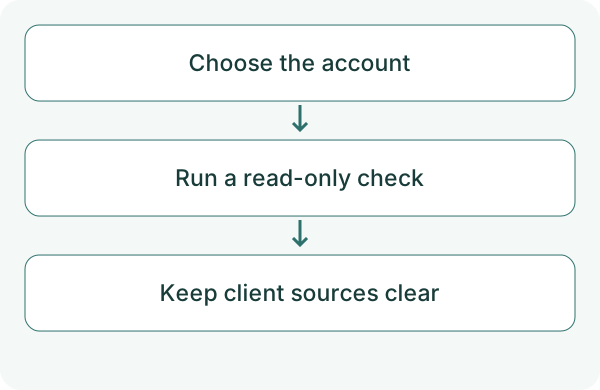
Begin with a fictional project or a non-sensitive email you created for testing. Check the account list and use labels that do not confuse different clients. Keep the first test read-only.
List my connected AccountHub accounts. Search only the test Gmail account I specify for 'review request' messages from the past seven days. Present up to five results, each with account, subject, date, summary and original link. Do not search another account, reply, forward or delete anything. Explain any failed retrieval.
Check the result
Check that each result came from the specified account and that its summary matches the original. Even if the AI suggests replying, do not send during this test.
When adding the second account, specify the scope again. Group results by client and widen the search only when needed. Read access is separate from sending permission and correct sender selection. Check sources before carrying information into a reply or explanation for another client.
What to try next
Once one inbox matches, add another within the permitted scope. See whether it reduces account switching while keeping a clear path back to each original message.
Try one task with the connection guide
Sources
- AccountHub public features
- Gmail search operators
- Gmail API scopes
- Google third-party connections
- Workspace app control
---
Draft from the AccountHub team. Not written or approved by Uchiyama. Sample prompts are not results from a personal-account test performed for this article. Features and sources checked on October 13, 2026.
Read the setup guide
The guide has the connection steps and example requests for your AI.
Read the setup guide →