
ACCOUNT HUB BLOG
Published:
Permissions · MCP · OAuth · Comparison
MCP OAuth vs API tokens: what is the difference?
Written by the AccountHub team.

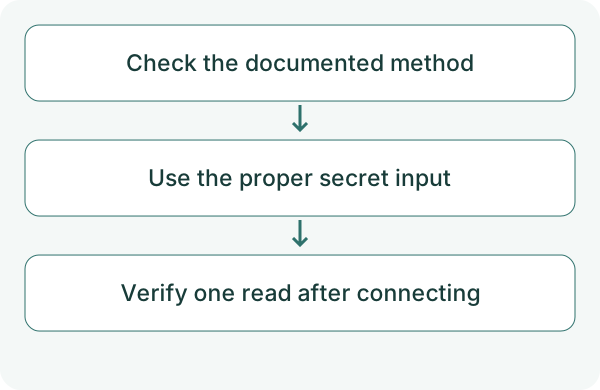
When connecting MCP, you may wonder whether to use OAuth or enter an API token. First check the method documented by the service and supported by your AI client.
OAuth delegates access within the scope a user grants. An API token authenticates using an issued secret. Both require checking permissions and revocation. Neither label alone establishes whether a connection is safe.
First compare the alternatives
An OAuth client ID identifies an application; it is not your personal access token. Do not substitute a password or API token in a client-ID field.
MCP authentication depends on client, transport and server configuration. A local server and a remote HTTP server can need different setup. For AccountHub, use the public guide for your client.
Try a small check
Verify the official service URL and client first. If the guide uses OAuth, check the sign-in and consent scope. If it documents tokens, use only the designated secret input, not a chat or public URL.
After connecting to AccountHub, check my account and searchable services. Then search for a test email in the one Gmail account I specify. Do not display secrets. Distinguish connection failure from missing permission. Do not send or change anything.
Check the result
Successful authentication does not establish access to an external service. Check AccountHub sign-in, Google or other service connection and AI connection separately.
If authentication stops, record the error, client, connection URL and chosen method without secret values. Ask the service why a client ID is required rather than inventing one or disabling authentication. Revoke unneeded credentials through the issuer's instructions. AccountHub’s documented OAuth connection and personal API tokens are different. Do not add secret values to a connection URL; use the input specified by the guide. Do not distribute a personal token as a shared login.
What to try next
After connecting by the documented method, verify one read. Go beyond authentication success and check the task you actually need.
Try one task with the connection guide
Sources
---
Draft from the AccountHub team. Not written or approved by Uchiyama. Sample prompts are not results from a personal-account test performed for this article. Features and sources checked on October 13, 2026.
Read the setup guide
The guide has the connection steps and example requests for your AI.
Read the setup guide →