
This page is written by AccountHub (UK G.K.). AccountHub is our own product.
Tool comparison
Multiple Gmail accounts in Claude: choose a connection that fits
Want Claude to help you decide which work and personal emails need attention today? Start by checking that it can read the inboxes you need. For one inbox, try the built-in connection first. For several inboxes in one conversation, choose a method that keeps each account clearly identified.
Which tool fits you?
Answer a few questions about how you work. The answer comes after.
The tools side by side
One row per tool. Each column says how many accounts of that service you can use at once. Sources are listed under the table.
Multiple= several accounts at onceOne= one at a timeConnects= connects (number of accounts not stated)—= not supported, or not on the vendor's pagePrice = lowest paid tier on the vendor's pricing page
Scroll sideways to see every service →
| Tool | Gmail | Outlook | Slack | Calendar |
|---|
Start with the built-in connection
Claude's Google Workspace documentation describes access to the Google account you authenticate. Check the connected account in your settings, then try reading the inbox you need. The documentation alone does not confirm simultaneous searching across multiple Gmail accounts.
Additional connections can use MCP, a way for an AI to use tools from external services. First check whether the built-in connection does the job, then decide whether to add one.
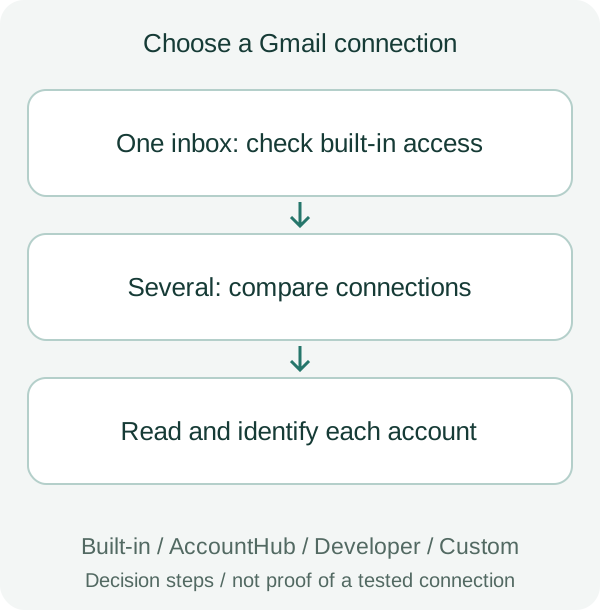
Compare account selection and maintenance
Choose based on what you want to maintain, as well as cost.
Pipedream pricing, checked October 11, 2026, lists Free for development and testing. Startup is USD99 per month billed annually, or USD150 billed monthly. A connection alone does not prove it works in every Claude client. Verify MCP access and account selection for the client you use.
Try AccountHub with a small read-only search
AccountHub's public pricing page describes connecting multiple Google accounts. Use the connection guide to add the accounts you need.
Then test a small search:
Find up to three unread messages from the last seven days in each of my work and personal Gmail accounts. Group results by account. Include the subject, date and information for opening the original email. Do not send anything.
Check that each result identifies its inbox and lets you open the original message to verify it. If one account returns no results, ask whether it was queried successfully or simply had no unread messages. Use this suggested request to test your own connection.
When a custom setup fits
A custom MCP server may fit if you want to change how connections or queries work. Hosting a server does not connect multiple Gmail accounts by itself. You still need separate authorization, account identification, tool behavior and compatibility with your Claude client.
A free source-code license does not mean zero operating cost. Choose this route if you are comfortable maintaining the setup as well as building it.
Choose after a read-only test
If the built-in connection gives you what you need from one account, keep using it. If you repeatedly work across inboxes, try the AccountHub search above and judge whether the results stay clearly separated.
Searching and sending are different operations. Before trying a send, check the sender account, recipient and text.
Good to know
- Claude's help page says it can access the Gmail, Calendar and Drive data of the Google account you've connected.
- The connected-account description does not establish a maximum of one account.
- A multi-account tool connects each account once and lets Claude use them together.
Other comparisons
For developers: tools you run yourself
If you are comfortable running a server or wiring up tools yourself. Most people do not need these.
Scroll sideways to see every service →
| Tool | For | Gmail | Slack | Runs as | Price |
|---|---|---|---|---|---|
| ExecutorNotion, GitHub, Jira and any OpenAPI / GraphQL / MCP sourceLicense: MIT | Claude Code, Cursor, ChatGPT | Connects (count not stated) | Connects (count not stated) | Cloud, Desktop, CLI, Self-hosted | Free · paid $15/user/mo+ |