
ACCOUNT HUB BLOG
Published:
Conversations · Gmail · Slack · MCP · Comparison
How to search Gmail and Slack with AI
Written by the AccountHub team.

“Was that message in email or Slack?” If you find yourself asking this, try searching both with the same project term and date range.
You can search Gmail and Slack separately. If you prefer asking your usual AI in one conversation, AccountHub can search the Gmail and Slack sources you have connected. Start with one message you know exists, then try both sources. Ask for the source and original reference with each result.
First consider native search
Gmail has search operators for narrowing a query. Slack offers search and filters. If you only do this occasionally, putting the same term into both search boxes may be enough. Gmail search operators, Search in Slack
| Approach | Useful when | Effort or conditions |
|---|---|---|
| Search Gmail and Slack separately | You search occasionally or do not want another connection | Compare the results yourself |
| Use your AI's native integrations | They already cover the sources you need | Check the capabilities in your environment |
| Search through AccountHub | You want connected sources in the same conversation | Service connections and search permissions are required |
If your native integrations cover what you need, keep using them. If you often switch between email and Slack to find a discussion, try searching both through AccountHub in the same conversation.
Start with one message you know exists
Use the connection guide to connect one Gmail account first. Review your organization's rules before using work information, and check any AI-side plan requirements during setup.
The project name below is fictional. Replace it with a non-sensitive phrase from a message you recognize.
Use AccountHub to check my connected accounts. Search only the Gmail account I specify for “website launch” messages from October 1 through October 12, 2026. Present up to five results with subject, date, why each matches and a link to the original message. Do not send, delete or mark messages as read.
Open the original email and check the summary and source account. Once that works, add Slack to the search.
Add Slack and use the same search scope
After the Gmail check works, connect the Slack workspace you need. AccountHub's Slack search requires search permission. An older connection may need reconnection if that permission is missing.
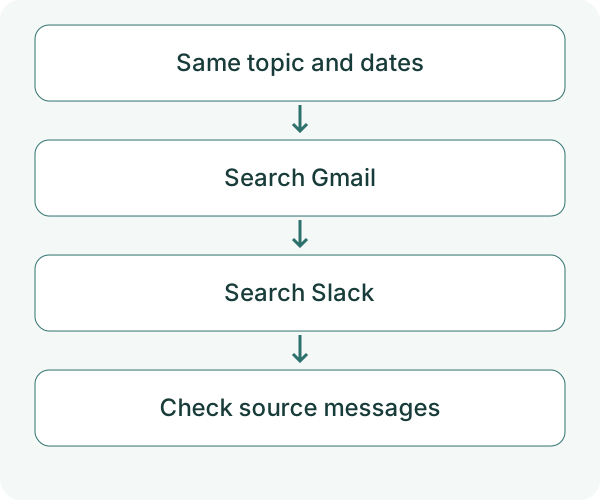
Using AccountHub, search the Gmail account and Slack workspace I specify for “website launch” discussions from October 1 through October 12, 2026. Separate Gmail and Slack results. Include date, source, a short summary and a link to the original where available. Present up to five results overall. Distinguish sources that could not be searched from sources searched with no matches. Do not reply or post anything.
Asking for five results makes the answer easier to review. The number retrieved by each search tool is a separate matter.
What to check when nothing appears
AccountHub turns your request into search queries and looks for relevant messages. It does not continuously pass your entire conversation history to the AI.
If nothing appears, check the account and permissions before widening the dates. Then try another project term or the sender's name. The connection does not grant access to private channels, DMs or history you cannot read. If a direct link is unavailable, use the service, account, date and subject to find the original in its own interface.
Decide whether you would use the same question again
First, try finding a message you recognize. If you can check the source and return to the original, use the same question next time you cannot remember where a discussion happened.
Start with one Gmail search in the AccountHub guide
---
This is a draft from the AccountHub team, not an article written or approved by Uchiyama. The sample prompts are not results of a personal-account test performed for this draft. Features and sources checked on October 12, 2026.
Read the setup guide
The guide has the connection steps and example requests for your AI.
Read the setup guide →