
ACCOUNT HUB BLOG
Published:
Permissions · OAuth · Multiple accounts · MCP
How to separate work and personal accounts when using AI
Written by the AccountHub team.

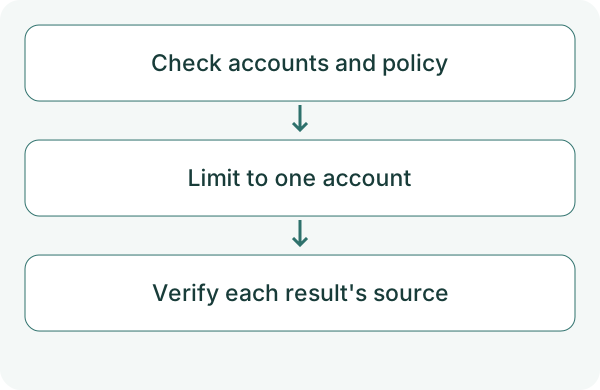
You want your AI to use work and personal Google accounts, but not confuse results or sender identities. Start by checking the connections and naming the intended account in your request.
AccountHub can connect multiple accounts. More connections do not establish complete information isolation. This test checks whether one explicitly selected account is read correctly.
First compare the alternatives
Separate browser profiles or separate work and personal AI environments may be more appropriate. Follow organizational requirements if only an approved environment is permitted.
When you need several accounts in one conversation, specify AccountHub's search scope. Check the returned labels so that 'work' and 'personal' refer to actual connections. A label helps identify a source; it is not proof of isolation.
Try a small check
Begin with non-sensitive personal test data. Check the account chosen in the guide and Google's permission screen. Before adding work access, confirm administrative approval requirements.
List my AccountHub accounts and the services each can search. Then search only the personal Gmail account I specify for messages with 'test' in the subject from the past seven days. Do not use another account. Label each result with its source account. Do not reply or forward anything.
Check the result
Compare the source account with the original email. If another account appears, check the request and executed scope before continuing.
After adding work access, specify which account to read each time. If both are needed, group the results by account. Also consider where retrieved information goes next; do not carry personal information into a work document without considering the appropriate use.
What to try next
After verifying one scoped read, test work access only within the permitted range. Decide whether the convenience of one AI fits your separation requirements.
Try one task with the connection guide
Sources
- Google third-party connections
- Workspace app access control
- AccountHub guide
- AccountHub public features
---
Draft from the AccountHub team. Not written or approved by Uchiyama. Sample prompts are not results from a personal-account test performed for this article. Features and sources checked on October 13, 2026.
Read the setup guide
The guide has the connection steps and example requests for your AI.
Read the setup guide →